
If you play Galactic Tycoons and haven’t tried GT-Companion yet, you’re leaving money on the table. I’ve been using it for weeks now alongside our Galactictycoons tutorial article (which you can find [here](https://game-utopia.de/galactictycoons-beginners-guide)) , and honestly, this tool changes how you approach everything from base planning to exchange trading.
What GT-Companion Actually Does
The wiki lists it under “Community Tools,” but that undersells what the project is. GT-Companion ([gt-companion.com](https://gt-companion.com/)) is a browser-based companion app built by the community specifically for Galactic Tycoons players who want to optimize beyond the in-game interface.
It requires an API key from Settings > API Keys inside the game , read-only access, nothing scary. The [official wiki page](https://wiki.galactictycoons.com/api/community-tools) has a full breakdown of every feature, but I’ll focus on what matters for actual gameplay decisions.
Here are the five features that actually changed my playstyle:
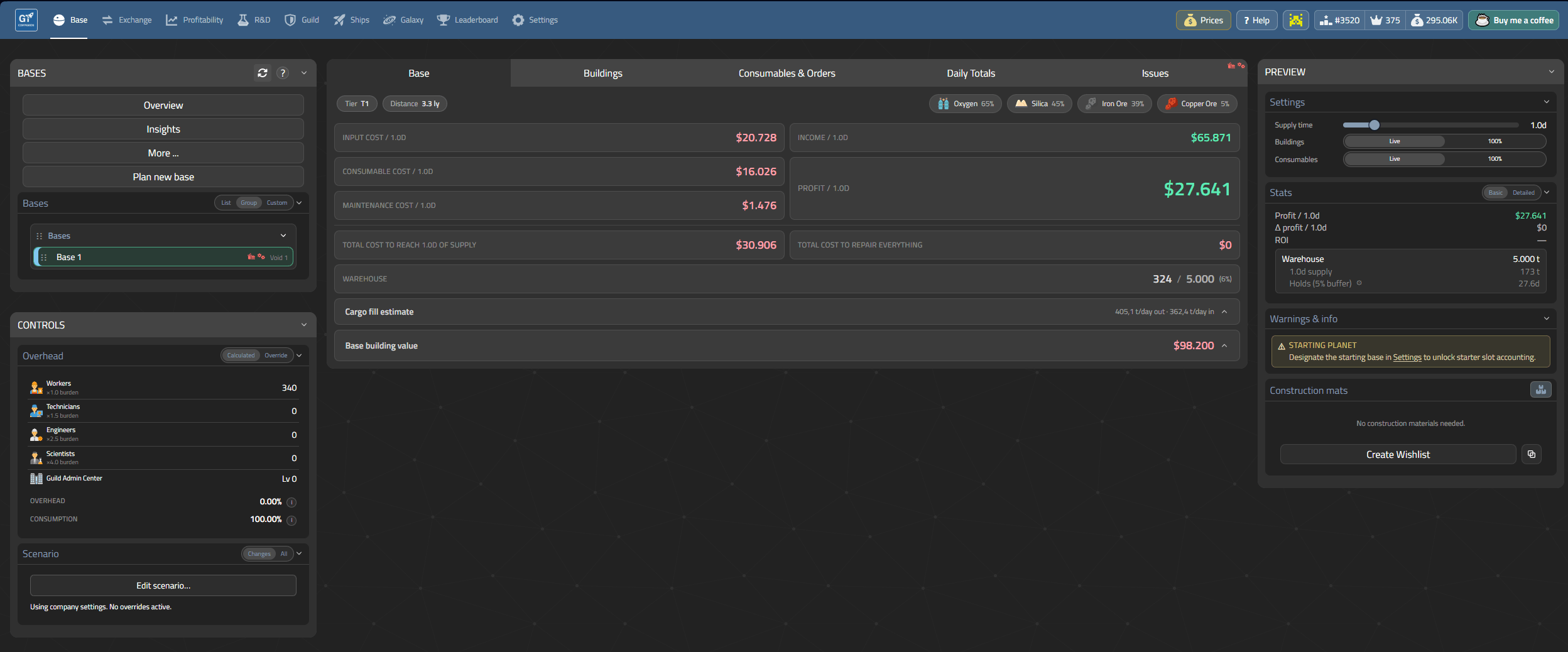
Base Profitability Tracking
This is the killer feature. You can set up multiple base configurations and GT-Companion calculates whether they’re profitable or bleeding credits. I’ve seen players spend hours wondering why their second base isn’t making money , turns out their worker consumption was higher than production output.
The interface shows input/output ratios, worker costs, consumable expenses, and overall profit margin at a glance. You can save multiple configurations and switch between them when testing new expansion plans. This alone is worth the setup time for anyone running more than one base.
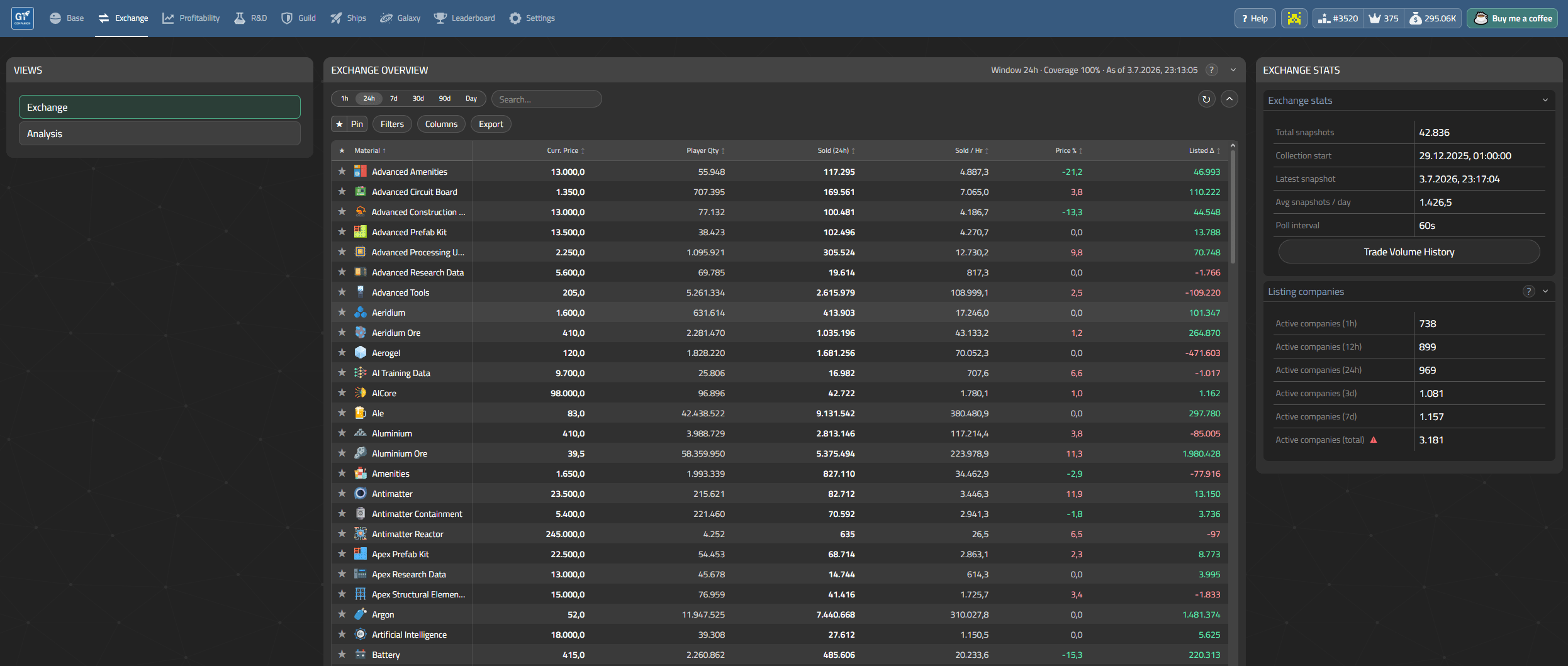
Exchange Analytics
I used to guess which materials would be profitable to trade based on hunches. Now I have actual data. GT-Companion tracks exchange prices over time and shows trends. When a material spikes , usually when another player dumps stock or the Federal Reserve adjusts buying rates , you can see it immediately instead of reacting three days too late.
The [exchange analytics](https://wiki.galactictycoons.com/api/exchange) section pulls real-time data through the official API. Price history charts, volume indicators, and buy/sell spread comparisons all update automatically when the game is running.
One practical tip: check exchange trends before you start a new production chain. If everyone else just launched a concrete factory, expect prices to drop fast.
Map Heatmap for Fertility
The fertility heatmap shows which planets in the game have better soil quality without visiting each one individually. I built this into my expansion planning , instead of randomly sending ships to explore new star systems, I check the heatmap first and prioritize high-fertility worlds for farming operations.
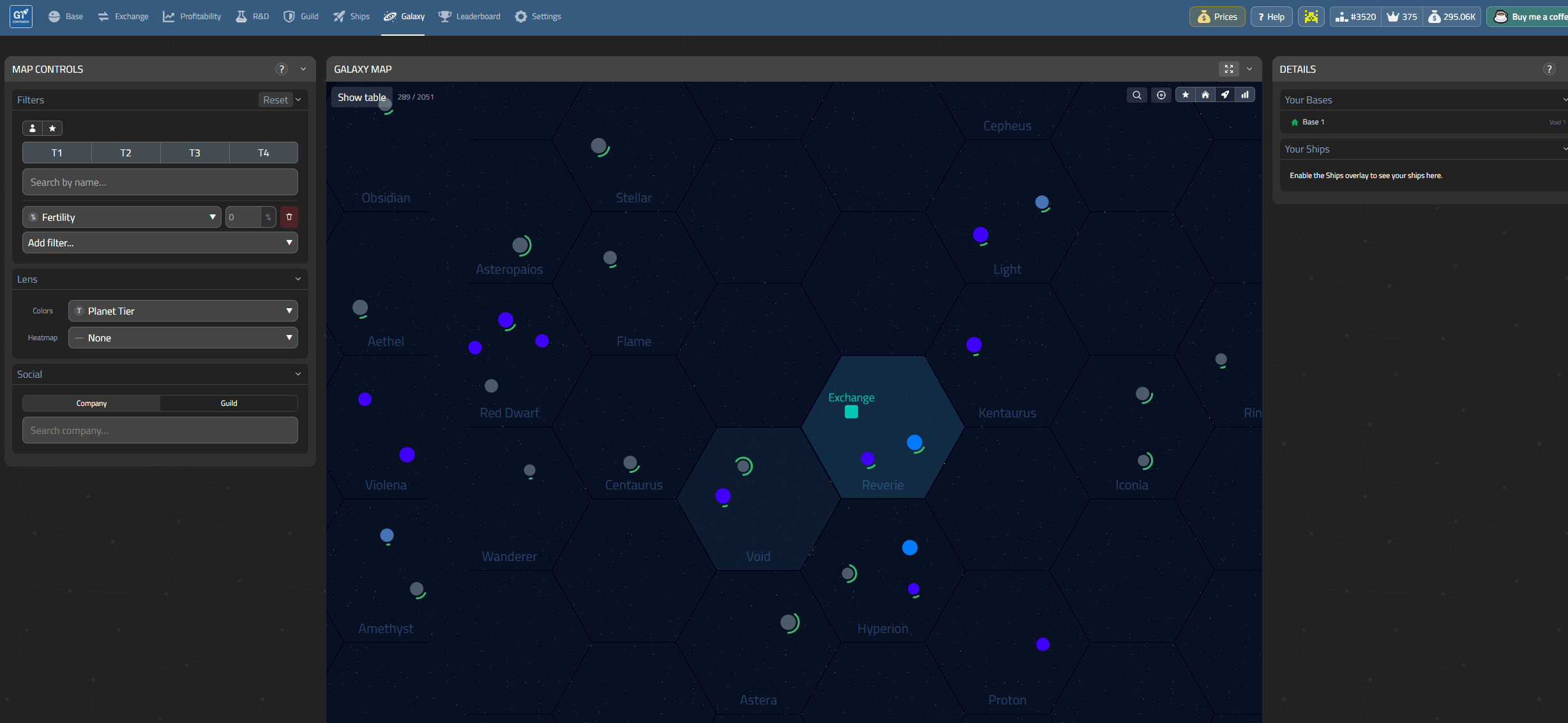
This works especially well for Food Production players who need specific resource tiers. The map shows color-coded fertility levels across reachable star systems, so you can plot flight routes before wasting fuel on dead-end planets.
Flight Planning
Beyond the heatmap, GT-Companion has a dedicated flight planning module. You input your ship specs (fuel capacity, reactor power, FTL emitter tier) and it calculates optimal routes considering travel time, fuel consumption, and whether your current fleet can handle long-distance runs.
The calculator uses normalized power baselines , more power slider equals faster but more fuel-intensive trips. Early game ships should stick to nearby planets; the tool will tell you when you’re ready for interstellar trade.
Getting Started with GT-Companion
The setup is straightforward:
1. Generate an API key in-game under Settings > API Keys (read-only, no risk)
2. Visit [gt-companion.com](https://gt-companion.com/) and connect your account
3. Configure your bases or start using the exchange tools without connecting anything
You don’t need to link all your bases immediately. The free tier covers basic analytics and profitability tracking for one base configuration. Upgrading unlocks multi-base comparison, advanced flight planning, and historical price data retention.
GT-Companion vs Other Community Tools
The wiki lists three main community tools. Here’s how I use them together:
GT-Companion , my primary planning tool for economics and expansion
Galactic Track , useful for the Contract Marketplace when direct player trading beats exchange prices
MantiTech , quality-of-life improvements like chat upgrades and quick-fill pricing while in-game
They complement each other rather than compete. GT-Companion handles the heavy analytical lifting; the others fill gaps in real-time gameplay convenience.
Final Thoughts
GT-Companion isn’t essential for casual play, but if you’re treating Galactic Tycoons as a serious economy simulation (which it clearly is), it saves hours of trial and error. The profitability tracker alone justified every minute I spent learning it.
The community Discord has active discussions about optimization strategies, and the developer responds to feature requests. For a community-built project, it feels polished and well-maintained , not something you’d expect from an unofficial tool this early in the game’s lifecycle.
Give it a try. Connect your API key. See if your bases are actually making money or just burning cash. Your future self will thank you when you stop expanding into unprofitable territory.
Also check out my Galactictycoons Beginner Tutorial